The short version
- MetaTrader 5 is software made by MetaQuotes and licensed to brokers; the web version runs in a browser with no installation.
- The browser terminal covers charts, built-in indicators and order entry; custom indicators and automated Expert Advisors need the desktop program.
- The software being genuine says nothing about the broker behind it, so check the broker's authorisation separately.
MetaTrader 5 Web is the browser-based edition of MetaTrader 5, a trading platform developed by MetaQuotes. Brokers license the software and connect it to their own servers, so when you log in you are always logging in to a particular broker's account through MetaTrader. This guide explains what the web version offers, how it differs from the desktop program and from the older MetaTrader 4, and the safety checks worth making before you use it. GlixoTrade has no connection with MetaQuotes or any broker.
What MetaTrader 5 Web actually is
MetaTrader 5 online, in its web form, is a trading terminal that runs inside a normal browser tab. There is nothing to install, which makes it useful on a work computer, a shared machine or a device where you cannot add software. It connects to the broker's trade server using the account number, password and server name the broker gives you.
Two points often confuse beginners:
- MetaQuotes is not your broker. It makes the software. Your money is held by the broker, and the prices, spreads, leverage and available instruments are set by that broker.
- Many brokers run their own copy of the web terminal on their website. The layout is the same, but you should always reach it from the broker's official site rather than from a link sent to you.

Finding your way around the terminal
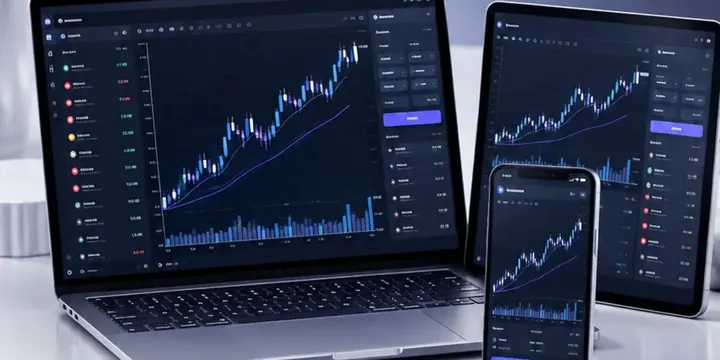
The web terminal is laid out in a similar way to the desktop program:
- Market Watch: the list of instruments with live bid and ask prices. You can add or hide symbols.
- Chart area: one or more price charts, with timeframes from one minute to one month, and chart types including candlesticks, bars and lines.
- Toolbox: tabs for open positions, pending orders, account history and journal messages.
- Order window: where you choose the symbol, volume in lots, order type, stop-loss and take-profit.
Order types
Besides instant market orders, you can place pending orders: buy limit and sell limit (enter at a better price than now), buy stop and sell stop (enter once the price breaks through a level), and MT5's stop limit orders, which place a limit order once a trigger price is reached. Volumes are entered in lots; on a USD-quoted currency pair, 0.10 lots is 10,000 units, so each pip is worth $1. Our pip calculator converts other sizes and pairs.
Web, desktop and mobile compared
| Feature | Web terminal | Desktop program | Mobile app |
|---|---|---|---|
| Installation | None, runs in a browser | Installed on Windows, or via compatibility tools on other systems | From official app stores |
| Charts and built-in indicators | Yes | Yes, fullest set | Yes, simplified |
| Custom indicators and Expert Advisors | Generally no | Yes | No |
| Strategy tester | No | Yes | No |
| Best for | Checking and placing trades from any computer | Analysis, testing and automation | Monitoring on the move |
Feature sets change with software updates and can differ between broker installations, so check the version your broker provides.

MT4 versus MT5, and what happens to MT4 indicators
MetaTrader 4 was built mainly for forex; MetaTrader 5 added more asset types, more timeframes, more pending order types, an economic calendar and a faster multi-currency strategy tester. Many brokers now offer MT5 as their main or only MetaTrader platform.
The catch for existing users is that the two are not code-compatible. MT4 indicators and Expert Advisors are written in MQL4, while MT5 uses MQL5, so an MT4 file will not load in MT5 without being rewritten or replaced with an MQL5 version. Popular built-in indicators, such as moving averages, RSI, MACD and Bollinger Bands, exist in both, but their default settings or calculation details can differ slightly between platforms.
If you rely on custom mt4 indicators, list them before switching and check whether MQL5 equivalents exist. Be careful where you download them: indicators and "robots" sold with promises of profit are a common route for scams and for malicious files.
Setting up your first chart
A few minutes of setup makes the terminal far easier to read:
- Pick one symbol and one timeframe to start, for example EUR/USD on the one-hour chart, rather than filling the screen with windows.
- Switch to candlesticks if they are not the default. Each candle shows the open, high, low and close for its period.
- Add at most one or two built-in indicators, such as a moving average, from the indicators menu. More indicators rarely add information; they mostly repeat the same price data in different forms.
- Show the ask line as well as the bid. Charts are usually drawn from bid prices, so buy orders and stops on short positions trigger at the ask, which the default chart may not show.
- Check the server time shown in Market Watch. Many brokers run their servers on a time zone that differs from yours, which shifts where daily candles begin and end.
Using the web terminal safely
- Confirm the broker first. Check it on your regulator's register, using our broker checklist. Genuine MetaTrader software can be connected to an unregulated or fraudulent broker.
- Reach the terminal from the broker's official site and check the address bar. Look-alike login pages are used to steal credentials.
- Know which password you are using. MetaTrader accounts typically have a master password for trading and an investor password that only allows viewing. Never share the master password.
- Log out on shared computers and avoid saving passwords in public browsers.
- Practise on a demo account before trading real money; the order window behaves identically, so it is the right place to learn it.
Demo accounts and practice
Most brokers that offer MetaTrader 5 also offer demo accounts with virtual money, which you can open and use in the web terminal in the same way as a live account. A demo is the right place to learn the order window, practise setting stops and check that your lot sizes produce the risk you intended. Its limits are worth remembering: demo fills can be kinder than live ones, and trading without real money at stake feels very different. Move to a small live account only when the mechanics are routine.
What the platform will not do for you
A charting platform displays prices and passes on orders. It does not make a strategy profitable, and indicators only rearrange past prices. Results from testing on past data, whether on the desktop strategy tester or elsewhere, often weaken in live trading once spreads, slippage and changing conditions are included. Our guide to how forex trading works covers the basics every MetaTrader user should understand first.
Reader questions
Is MetaTrader 5 Web free?
The software is provided through brokers, which do not usually charge for the terminal itself. You pay the broker's trading costs, such as spreads, commissions and financing, when you trade.
Can I use MT4 indicators in MetaTrader 5 online?
Not directly. MT4 indicators are written in MQL4 and MT5 uses MQL5, so they must be rewritten or replaced. Custom indicators also generally need the desktop version rather than the web terminal.
Does MetaTrader 5 hold my money?
No. MetaQuotes makes the software; your broker holds your account and money. Check the broker's regulatory status separately.
Sources
- MetaQuotes, MetaTrader 5 platform documentation (web terminal and MQL5 reference)